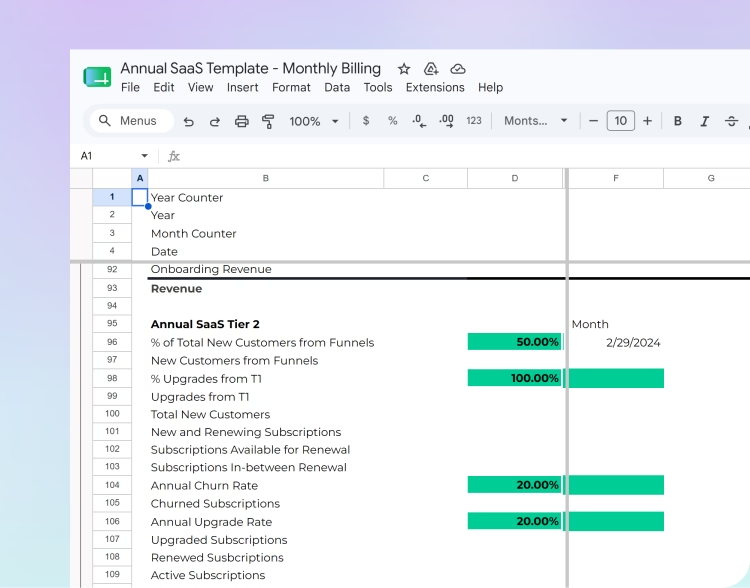

For a lot of founders, the startup financial model now lives in a spreadsheet with Claude sitting right next to it. Claude for Excel writes formulas on request, so the file feels like enough for a while.
That feeling is the trap. It keeps founders in a spreadsheet long after the business needs real financial modeling software.
Then the company grows. The board wants a downside case by Thursday. Your accountant closes the books and someone has to paste the actuals in again. Suddenly the question changes from "can Claude build this?" to "should this model still live in a spreadsheet?"
Below, we cover the add-in's use cases, where it falls short for a startup model, and how to tell when it's time to switch.
Key takeaways
- Claude in Excel helps with formulas and quick drafts, and it builds a new, untested structure every time.
- That combo struggles with structure, monthly actuals, and keeping one version of the truth as the company grows.
- Financial modeling software pulls actuals in automatically, runs scenarios from drivers, and starts from a structure tested on real companies.
- The pain usually shows up once investors start asking for scenarios and monthly forecast vs. actual comparisons.
- Your live model belongs in a tool built for it, like Forecastr's Vibe, where an engine does the math from tested logic.

{{ inline_toc }}
What Claude actually does in Excel
This is Anthropic's add-in for Microsoft Excel. It sits in a sidebar inside your workbook, where you can pick a cell and ask a question or request a change in plain English.
It can read the workbook you have open, so it can write a formula, explain formulas across sheets, or flag a broken reference. Each of those is a one-off task inside a single file, which is how most Excel add-ins work.
How founders use Claude in Excel day to day
Most requests are small: fix formulas, explain a number, tidy a table's format, or draft a hiring tab from a list of roles.
A typical prompt sounds like: "Add a churn assumption to the revenue forecast and show me what it does to cash in month 18." Claude writes the logic in that one session, and checking whether it fits the rest of your model is still your job.
That check matters, because modeling errors are common. A review of spreadsheet error research found mistakes in about half of the workbooks studied, and a KPMG survey it cites found major errors in 95% of financial models.

Where the combo hits the wall
Claude makes the work inside one workbook faster. The bigger problems with a homegrown model sit outside any single cell, and they pile up slowly as the company grows. Here are the five places where this setup usually starts to break down.
1. The structure gets invented every time
When Claude builds a model from scratch, it designs the structure as it goes. That structure is new each time and nobody has tested it on real companies.
Structural mistakes spread quietly, and they're the main weak spot of AI financial modeling in a workbook. A wrong link between revenue and deferred revenue flows across sheets into cash, then burn, then runway. The assistant can fix a cell you point at, but it can't tell you the whole frame is off.
2. Actuals still come in by hand
Every month someone exports from QuickBooks or Xero, pastes it in, and matches categories. Claude can help with the matching, but the export-and-paste part of the workflow is still manual.
That makes a rolling forecast hard to keep up, since each month needs fresh actuals before the forecast can roll forward.
{{ inline_cta }}
3. Nobody knows which version is the real one
"Model_v7_FINAL_revised_LB.xlsx" is a cry for help. The add-in works on whatever file is open, so three copies on three laptops stay three copies, and a fourth often turns up when someone moves the model between Excel and Google Sheets. It's the classic spreadsheet sprawl problem, and your board deck, investor dashboard and bank update may show different runway numbers.
4. Scenarios still take an afternoon
A board member asks, "What if we delay two hires and churn ticks up a point?" The AI can build that case, but it often means copying sheets and checking every link again. Fast scenario analysis stops being optional once you have a board.
5. Claude writes the numbers itself
Inside Excel, the assistant writes native Excel formulas and values straight into your cells, so every number is only as good as that one session's output. The same goes for any general-purpose chatbot, ChatGPT included. You still need to check the math before it goes in front of investors.

Claude for Excel vs. financial modeling software
Good financial modeling software changes where the hard parts of modeling live. The work you used to do by hand moves into the system, and newer tools let you describe changes in plain English without touching a cell.
What dedicated software adds
Each of the five problems above has a matching fix once your model lives in dedicated financial modeling software. Here's how they line up.
Actuals that update themselves. A connector to your accounting system pulls the numbers in, so forecast vs. actual comparisons are ready the day the books close. That's what makes a true rolling forecast practical.
Driver-based scenarios. Change your average contract value or a hire date and the change ripples through the P&L, cash flow, and runway. Base, best, and downside cases live side by side as saved versions, so you can test changes without constant rebuilding.
A structure that's already been tested. Forecastr's model structure comes from more than 64,000 hours of modeling work and over 2,000 real startup models. You start from a frame that works and adjust it to your business.
An engine that does the math. In Forecastr's Vibe, you describe your business and an AI assistant sends instructions to a forecasting engine. The engine does the calculations, so every number comes from the same tested logic.
People behind the model. Several people can work in the same model with an audit trail, and Forecastr's analysts are there when you want a second set of eyes.
Excel + Claude vs. AI-powered financial modeling software
AI makes each task faster, and dedicated software changes the system those tasks live in. That system is what separates the best financial model software from a well-prompted workbook.
When should your startup make the switch?
A workbook with Claude's help can carry a very early model. Most startups outgrow it fast. Here are the signals we see most often:
- Updating the model after each close takes more than a day.
- Investors or your board ask for scenarios and monthly forecast vs. actual comparisons.
- More than one person needs to edit the model at the same time.
- A new finance hire needs weeks to understand how the model works.
- You spend more time fixing the model than using it.
Making the switch without losing your history
Export before you migrate. Pull assumptions and historical actuals out of your workbook first. A good onboarding team will help map your old categories to the new structure.
Run both for one close. Keep the old file live for one month-end close and compare the outputs. If the new tool matches reality, you can trust it.
Pick a quiet period. Don't switch in the middle of a fundraise. Right after a close or a board meeting is usually ideal.

Move the model out of the spreadsheet
There's no shame in a scrappy AI-assisted model. It probably got you through your first raise. Claude for Excel can still answer the odd formula question after you switch.
At some point, though, the spreadsheet starts running you. That's the moment to move your live model into financial modeling software built for it, so your time goes back to building and selling.
To see this on your own numbers, join the Vibe waitlist. Once the open beta starts, you can describe your business and get a model back in minutes, with a human expert ready whenever you want a second set of eyes.
Frequently asked questions
Is Claude good for Excel?
It's useful for one-off tasks like writing or explaining a formula. For a startup's financial model, it falls short: it invents a new structure each time, can't pull in your actuals, and writes numbers straight into cells that someone still has to check. A tool like Vibe, where a forecasting engine does the math, is a safer home for the model you run the company on.
Can I use Claude by Anthropic in Excel?
Yes. Anthropic's Claude runs as an Excel add-in in a sidebar inside your workbook. The add-in works on one file at a time and doesn't connect to your accounting system, so it won't keep a live forecast current on its own.
Which AI is best for Excel, Claude or Copilot?
It depends on the job. Claude and Microsoft's Copilot in Excel both help with formulas and quick data analysis inside a workbook. For financial modeling, look for an AI tool that hands your instructions to a forecasting engine and lets the engine calculate. That's how Forecastr's Vibe works: you describe your business, and the engine does the math from tested logic.
Can Claude for Excel replace financial modeling software?
No. Anthropic's add-in can speed up manual work in complex spreadsheets, but it can't connect to your accounting system, keep a single source of truth, or start from a structure tested on more than 2,000 real startup models. Keep your live forecast in dedicated financial modeling software.
When should a startup switch from Excel to financial modeling software?
Consider switching once fixing errors in your spreadsheet work takes more time than analyzing results. That usually happens when investors start asking for scenarios and monthly forecast vs. actual comparisons. If updates take more than a day or several people edit the model, it's time.